So I did this, using a Ryzen 3600, with some light tweaking the base system burns about 40-50W idle. The drives add a lot, 5-10W each, but they would go into any NAS system, so that’s irrelevant. I had to add a GPU because the MB I had wouldn’t POST without one, so that increases the power draw a little, but it’s also necessary for proper Jellyfin transcoding. I recently swapped the GPU for an Intel ARC A310.
By comparison, the previous system I used for this had a low-power, fanless intel celeron, with a single drive and two SSDs it drew about 30W.
Ok, im glad im not the only one that wants a responsive machine for video streaming.
I ran a pi400 with plex for a while. I dont care to save 20W while I wait for the machine to respond after every little scrub of the timeline. I want to have a better experience than Netflix. Thats the point.
Eh, TBH I’d like to consume less power, but I mean, a 30-40W difference isn’t going to ruin me or the planet, I’ve got a rather efficient home all in all.
Literally did this migration this weekend. Still need to install the A310 drivers and I don’t run Jellyfin (streaming handled client side with minidlna or SMB) but how do you find it?
I’ve not desktop environment on the NAS, it was plug and play in terminal. I did get an error about HSW/BDW HD-Audio HDMI/DP requiring binding with a gfx driver - but I’ve not yet even bothered to google it.
I read somewhere the sparkle elf I have just ramps the fan to 100% at all times with the Linux driver and has no option to edit fan curve under Linux
(suggested fix was install a windows VM, set the curve there and the card will remember, but after rebuilding the NAS and fixing a couple of minor issues to get it all working I couldn’t face installing windows, so just left it as is until I have the time lol).
The host is running Proxmox, so I guess their kernel just works with it.
It does run the fan way more than I’d like, but its noise is drowned out by the original AMD cooler on the CPU anyway, but thanks for the info, I may look into it… But I guess I’d have to set up GPU pass-through on a VM just for that.
Yeah, I can’t say I’ve really noticed the fan noise enough to bother me yet, but wasn’t sure if that’s because I’m running some generic driver or others were just more sensitive to it than me. Jellyfin is at least fourth on the list of maintenance/upgrade tasks at the minute, as long as I can display the terminal at the minute I’m happy enough.
A desktop running a low usage wouldn’t consume much more than a NAS, as long as you drop the video card (which wouldn’t be running anyways).
Take only that extra and you probably have a few years usage before additional electricty costs overrun NAS cost. Where I live that’s around 5 years for an estimated extra 10W.
As I wrote below, some motherboards won’t POST without a GPU.
Take only that extra and you probably have a few years usage before additional electricty costs overrun NAS cost. Where I live that’s around 5 years for an estimated extra 10W.
Yeah, and what’s more, if one of those appliance-like NASes breaks down, how do you fix it? With a normal PC you just swap out the defective part.
Most modern boards will. Also there’s integrated graphics on basically every single current CPU. Only AMD on AM4 held out on having iGPUs for so damn long.
The GTX 480 is efficient by modern standards. If Nvidia could make a cooler that could handle 600 watts in 2010 you can bet your sweet ass that GPU would have used a lot more power.
Well that and if 1000 watt power supplies were common back then.
I have an old Intel 1440 desktop that runs 24/7 hooked up to a UPS along with a Beelink miniPC, my router, and a POE switch and the UPS is reporting a combined 100w.


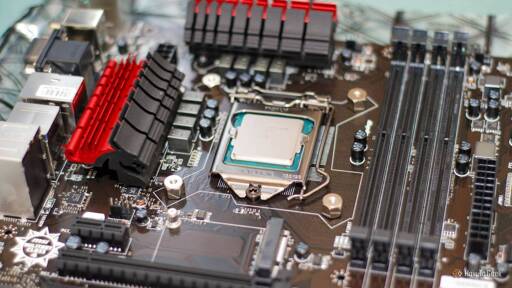
Highly doubt it’s worth it in the long run due to electricity costs alone
So I did this, using a Ryzen 3600, with some light tweaking the base system burns about 40-50W idle. The drives add a lot, 5-10W each, but they would go into any NAS system, so that’s irrelevant. I had to add a GPU because the MB I had wouldn’t POST without one, so that increases the power draw a little, but it’s also necessary for proper Jellyfin transcoding. I recently swapped the GPU for an Intel ARC A310.
By comparison, the previous system I used for this had a low-power, fanless intel celeron, with a single drive and two SSDs it drew about 30W.
Ok, im glad im not the only one that wants a responsive machine for video streaming.
I ran a pi400 with plex for a while. I dont care to save 20W while I wait for the machine to respond after every little scrub of the timeline. I want to have a better experience than Netflix. Thats the point.
Eh, TBH I’d like to consume less power, but I mean, a 30-40W difference isn’t going to ruin me or the planet, I’ve got a rather efficient home all in all.
I have a 3600 in a NAS and it idles at 25w. My mobo luckily runs fine without a GPU. I pulled it out after the initial install.
Literally did this migration this weekend. Still need to install the A310 drivers and I don’t run Jellyfin (streaming handled client side with minidlna or SMB) but how do you find it?
Drivers? Are you running it on Windows? On Linux I just plugged it in and it worked, Jellyfin transparently started transcoding the additional codecs.
It fixed my issue with tone mapping, before this HDR files on my not-so-old TV showed the wrong colors.
I’ve not desktop environment on the NAS, it was plug and play in terminal. I did get an error about HSW/BDW HD-Audio HDMI/DP requiring binding with a gfx driver - but I’ve not yet even bothered to google it.
I read somewhere the sparkle elf I have just ramps the fan to 100% at all times with the Linux driver and has no option to edit fan curve under Linux (suggested fix was install a windows VM, set the curve there and the card will remember, but after rebuilding the NAS and fixing a couple of minor issues to get it all working I couldn’t face installing windows, so just left it as is until I have the time lol).
The host is running Proxmox, so I guess their kernel just works with it.
It does run the fan way more than I’d like, but its noise is drowned out by the original AMD cooler on the CPU anyway, but thanks for the info, I may look into it… But I guess I’d have to set up GPU pass-through on a VM just for that.
Yeah, I can’t say I’ve really noticed the fan noise enough to bother me yet, but wasn’t sure if that’s because I’m running some generic driver or others were just more sensitive to it than me. Jellyfin is at least fourth on the list of maintenance/upgrade tasks at the minute, as long as I can display the terminal at the minute I’m happy enough.
A desktop running a low usage wouldn’t consume much more than a NAS, as long as you drop the video card (which wouldn’t be running anyways).
Take only that extra and you probably have a few years usage before additional electricty costs overrun NAS cost. Where I live that’s around 5 years for an estimated extra 10W.
As I wrote below, some motherboards won’t POST without a GPU.
Yeah, and what’s more, if one of those appliance-like NASes breaks down, how do you fix it? With a normal PC you just swap out the defective part.
Most modern boards will. Also there’s integrated graphics on basically every single current CPU. Only AMD on AM4 held out on having iGPUs for so damn long.
I’m still running a 480 that doubles as a space heater (I’m not even joking; I increase the load based on ambient temps during winter)
A 486, eh?
I am assuming that’s a GTX 480 and not an RX 480; if so - kudos for not having that thing melt the solder off the heatsink by now! 😅
The GTX 480 is efficient by modern standards. If Nvidia could make a cooler that could handle 600 watts in 2010 you can bet your sweet ass that GPU would have used a lot more power.
Well that and if 1000 watt power supplies were common back then.
If they’re gonna buy a nas anyway, how many years to break even?
I have an old Intel 1440 desktop that runs 24/7 hooked up to a UPS along with a Beelink miniPC, my router, and a POE switch and the UPS is reporting a combined 100w.