Hey everyone,
I just tried to contact my country’s social health insurance system via phone, and to not have to pay in queue you have to request them to call you back. For some reason they don’t get my number automatically and I have to type it in.
So, what’s the problem? Well, my phone won’t allow me to press “+” while in a call, which is required to type in the country code.
I was able to make the call by waiting in queue but I have to pay a bit of money for it. In case I have to make more calls, it would be nice to know if there was a fix for this.
Dialer is the default one (Google?), phone is Oneplus Nord 5, up to date in updates (software version CPH2709_16.0.5.1002).
I hope someone knows a fix for this. I can type in the plus symbol just fine outside of calls by long pressing “0”, but it just won’t work in a call.
there is no + symbol on a phone. there is no tone for it. as someone said use 00
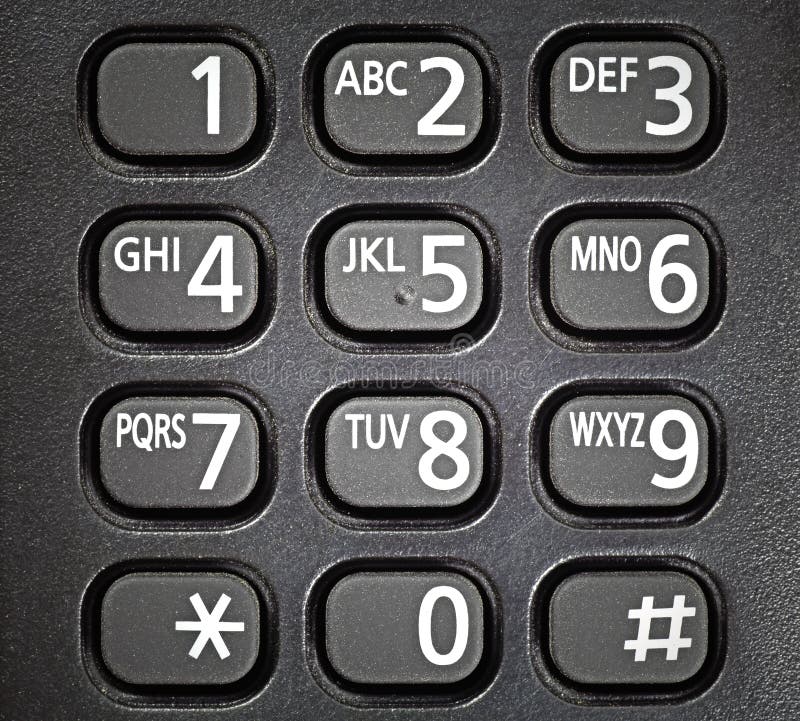
https://thumbs.dreamstime.com/b/generic-telephone-keypad-19583670.jpg
it told me to press + and then type in my number.
i tried to use 0 which is the button for it, and when it repeated my number to confirm that it’s correct. it just said 0 for the 0 which should be a +
what told you to push +?
the automated system on the phone line
i just reread your post. i think people are giving you US help. which country are you in?
finland
For an immediate fix try “00” in place of “+”
In North America it may be “011”
And either way, followed by the phone number omitting any leading zero on the area code.
thanks, i’ll try that the next time i have to call them :)
Dial your provider’s international access code, then followed by the country code, then domestic number. Essentially, your phone just has a database of these codes or something and substitutes it for + (+ just means your international access code)
Usually it’s going to be 00 or 001
https://en.wikipedia.org/wiki/List_of_international_call_prefixes
Have you tried long pressing the button for 0 ?
yes, i said in the last sentence of the post that it doesn’t work.
i held the button for so long that the automated thing gave up on me trying to type in my phone number
Oh okay, it seems I have skimmed over that part 😅
All these people are giving workarounds and lessons. This is the first comment that matched my first question for OP. Pressing and holding is what works for me.
As others have noted, the + doesn’t make a tone, but smartphones use it as shorthand for “use whatever international access code is necessary, based on where the phone is”. When I started traveling internationally, I found none of my contacts worked to call back to the US until I put the “+1” in all those numbers in my phone book. Then when I am home, the phone is smart enough to know it doesn’t need the international access code to call those contacts domestically.
If your phone is from the same country as the service, you may not explicitly need the country code at all, and may just need to enter whatever is needed to call that number directly. For instance, the UK country code is 44. There is a leading “0” in printed phone numbers that you need to keep if you are dialing within the UK but need to omit when putting it in your phone with “+44”.
i know how international calling works.
it said my number is invalid when i tried to type it in the local format, and told me to type in the international format, starting with the +
Have you tried just skipping the +?
They probably don’t have anyone dialing local numbers, so maybe someone thought they were being smart and not starting on 0 means international.
I can’t tell is this is a joke or not
why would it be a joke?
if the solution is that obvious, feel free to elaborate.
some helpful people have already suggested possible workarounds, which i’ll try the next time i have to call them
The '+’ means ‘add your international calling prefix’.
For example, here in the UK the prefix is ’00’. So if I was calling the US, +1 becomes 001.
The wikipedia article will tell you what the prefix is in your country.
Try the “fossify phone” dialer, also on fdroid. That one definitely has a plus. Maybe it resolves to two 0s fast enough in-call that it is accepted. If that doesn’t work it’s probably not a dialer-app issue.