

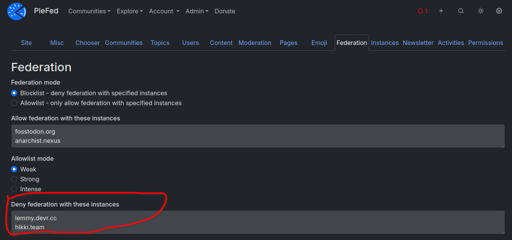
PieFed has a dizzying array of settings and options that instance admins can tweak. Most of them have obvious and sensible default values but some of those have been a bit controversial, especially to do with what gets blocked by default. In this post I explain what those are and how they can be configured.
I understand defederation needing to be applicable to all users but can users reverse the blocks at the user level?
There are two different levels of domain blocks. The ones rimu is discussing here are instance-wide, controlled by admins. Basically an admin saying that they don’t want their instance to host any posts that point to these domains. In addition to what rimu pointed out in the article, this tool is most often used to prevent spam posts that point to domains that host malware/phishing/etc. Whenever a remote spam user pops up spewing posts that point to some new malware domain, it is simple to ban the domain and those posts now will no longer federate to your instance even if the remote user isn’t dealt with by their home admins.
There are user-level domain blocks as well in the filters tab of your settings page. Those only apply to an individual user.
ahh. so domain blocks are never federated instances as those are defederations?