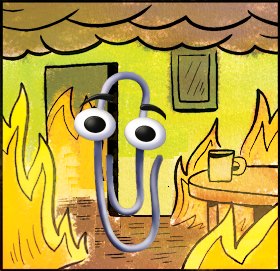
Dumbass phone has no idea what kind of headphones or devices i plugged into it and what other stuff i have connected in between. Stupid machine.
My phone warns me I’ve been listening to music at a dangerous volume for a dangerous amount of time 100% of the time when I’m driving and listening via aux.
yeah lol, I’m often plugging in slightly high impedance headphones that it just can’t drive very well. it’s never seemed worth it run run a dac or get a special pair of phone headphones. i rarely use it that way anyway.
but yeah, pretty much every time i plug them in i have to confirm i want to hurt myself before it will allow them to be set to a useable volume.
and yes, i do still have a headphone jack, they are still out there if you’re willing to not get a super expensive phone.
I held on to the 3.5mm jack for so long but i just couldnt resist the fairphone anymore. I need my replaceable battery and ports and stuff. Changing a screen or usbc port in less than 10 minutes is just a gamechanger if anything ever breaks.
With the removal of the headphone jack, phones have lost the ability to not know what is plugged in. USB and Bluetooth devices have information that the phone could account for but chooses not to.
maybe it’s just not possible with the current (probably ancient to not break older devices) protocols
Nah its just analog signals, no protocol. There is no way for a phone to be aware of what analog audio device its connected to.
You’re practically right but…
Since 3.5mm jacks with insertion leaf switches are larger, the audio chips instead check for approx. 32 Ω of impedance on the audio channels, or connection between the first two pins (MIC and GND), which doubles as button press detection (some phones, including every Samsung one, check for several resistance levels, allowing for separate ⏮⏭ buttons rather than just the multipurpose ⏯). This makes sure that (high-impedance) line-in devices whose plugs bridge the first 2 pins get detected (as a side effect, your headset with mic and 1 button will only show up with the micless icon if you hold the button while plugging it in).
Therefore, phones do detect line-level devices vs headphones or aux-in ones (or at least have hardware to do so) but other than perhaps some EQ and level adjuatment in the DAC, there is no effect.
Phones don’t do it with USB audio devices which are digital devices with unique identification.
Its not the hardware, its the software.
deleted by creator
Nobody:
kid named finger
meanwhile i wish mine would still warn me. sometimes i pop in my IEMs and then press play, and my phone is like “you were full volume with the bluetooth speaker, does this mean… you want the IEMs full blast, too?”
your phone doesnt change it back when you disconnect Bluetooth? that’s harsh.
Mine warn me only when it’s purposeful. As you say, if I change output devices, and the sound is too loud, it says nothing. It literally only interferes with me doing something I’m purposefully choosing to do, and failing to protect me from shit I’m doing accidentally.
This is the real issue. The same volume is totally different on different devices. If they want to implement this feature correctly they need to measure the actual output of the headphones.
Like that stupid ass notification ‘internet disabled for this appliation. Go to settings to re enable it. Press ok to continue’. I know, i’m the one who disabled it in the first place, get lost.
This makes me irrationally angry. I don’t need my phone babysitting my ears and the notification doesn’t happen nearly frequently enough to matter anyway. It can be a distraction, especially while driving, i always think i need to pull over to answer a call but nope, just a half assed hearing protection measure.
Does anyone know of any apps or ways to disable the feature on android?
Ideally disable all the nanny features and block forced updates. If I fucking want an update, I will prompt it myself.
Copied from other comment:
There’s an app for that: https://github.com/zacharee/Tweaker
You’ll need to use adb to grant special permissions that an app can’t request on its own.
adb shell pm grant com.zacharee1.systemuituner android.permission.WRITE_SECURE_SETTINGS adb shell pm grant com.zacharee1.systemuituner android.permission.PACKAGE_USAGE_STATS adb shell pm grant com.zacharee1.systemuituner android.permission.DUMP- Audio & Sound --> Disable Safe Audio Warning --> Disabled
- Persist Options --> Checkbox Disable Safe Audio Warning
You the real MVP
Very annoying when using a speaker with its own volume. Because of course I want to have phone loud for optimal signal, and set the volume at the end of the chain instead of amplifying weak signal.
Every device I’ve seen do this can only reach lower levels of volume than most of the ones that don’t (PCs, Walkmans, headphones with built-in radios…)
It’s like that “save electricity, unplug charger” popup that I only ever saw on phones with switching power supplies, whose zero-load power is several orders of magnitude less than the heavy transformer ones. Or the constantly-moving 🔇 icon on LCD TVs, although it takes many consecutive days of a static picture to burn them in as opposed to CRTs, plasma and OLED ones. Even then, shifting it by 1 pixel per minute would be enough and way less annoying.
Protect your hearing please
- person with Tinnitus
This fucking thing must be a kernel level thing, because even AOSP ROMs can’t get rid of it.
I think it’s a legal thing so they’re probably not allowed to get rid of it.
I have never once seen this message I’m my adult life, using Pixel phones since the pixel 1.
Although I do try to be respectful of my ears since I have fairly loud tinnitus already so maybe I just don’t listen to music loud enough to trigger the message.
There’s an app for that: https://github.com/zacharee/Tweaker
You’ll need to use adb to grant special permissions that an app can’t request on its own.
adb shell pm grant com.zacharee1.systemuituner android.permission.WRITE_SECURE_SETTINGS adb shell pm grant com.zacharee1.systemuituner android.permission.PACKAGE_USAGE_STATS adb shell pm grant com.zacharee1.systemuituner android.permission.DUMP- Audio & Sound --> Disable Safe Audio Warning --> Disabled
- Persist Options --> Checkbox Disable Safe Audio Warning
I think this setting is reset on a phone reboot.
Eeeeeeeeeeeeeeeeeeeeeeee
I don’t have this anymore, using CalyxOS.
I do remember getting this and it driving me nuts. I’M CONNECTED TO A SPEAKER NOT HEADPHONES REEEE
This and the “Are you still listening” pause EVERY OTHER SONG on my playlist is just so helpful. Helpful, that is, if the intent is to give me a fucking aneurysm.
What are you using that does that? That’s annoying af.
It started recently on YouTube revanced. The only reason I’m still on YouTube at all is my 1500+ song playlist I’ve been curating for, i dunno, 14 years? Revanced and ublock kept me from hearing or seeing an ad for years, but this is really motivating me to just say fuck it and move on.
Oof, damn that’s painful to leave behind. The downfall of yt to a completely unusable platform has been awful. Newpipe might let you play without the reminders on mobile if you are interested in trying another app before you make tye leap to a new platform. I’d bet there is a tool on github that will export your playlists too. Sorry, not trying to fix everything I promise. A 14 year active playlist is an impressive thing though and I’d hate to see that lost.
What?